
Billable vs non-billable hours: what to track, what to bill and how to invoice it
Which hours you can charge for, why the others still belong in your timesheet, how to read your billable share, and how tracked time becomes invoice lines, shown with real buezli.app screens.
Updated October 9, 2026 6 minute read
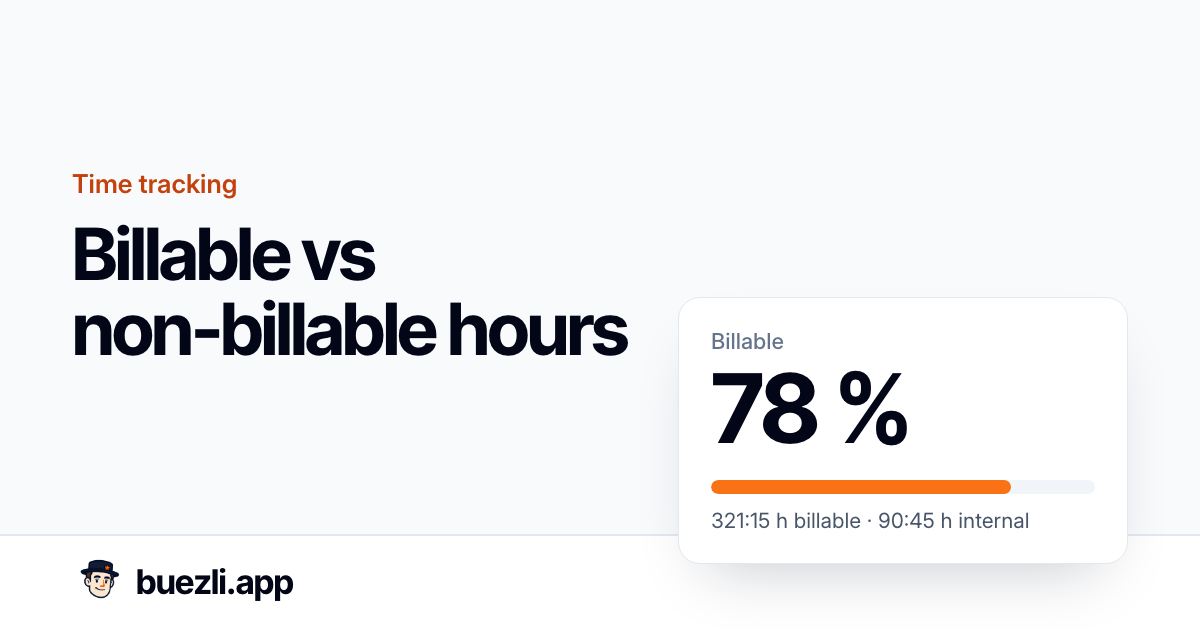
Billable hours are the hours you can put on a client's invoice. Non-billable hours are everything else it takes to run the business: admin, sales, internal projects, and the rework you would rather not charge for.
Both kinds belong in your timesheet. The billable ones pay the bills this month. The non-billable ones tell you why some months feel busy but bring in less money.
The screenshots show buezli.app with example data from a fictional three-person studio in Berlin that bills €120 an hour. The numbers are made up, but the screens are the real product.
What usually counts as billable
There is no law that decides this. Your contract does. In practice, most small studios and freelancers split it like this:
| Usually billable | Usually non-billable | Agree on it upfront |
|---|---|---|
| Design, writing, development for the client | Bookkeeping and invoicing | Travel time |
| Meetings and calls the client asked for | Sales, proposals, pitches | Short calls and emails |
| Project management on the client's project | Learning and internal tools | Fixing your own mistakes |
| Changes the client requested | Rework you caused | Waiting for client feedback |
The right-hand column causes most of the arguments. Put it in the proposal or contract: "Travel within the city is not charged", "Changes after the second feedback round are billed at the hourly rate". Then the timesheet only has to follow what you agreed.
Decide per project, then per task
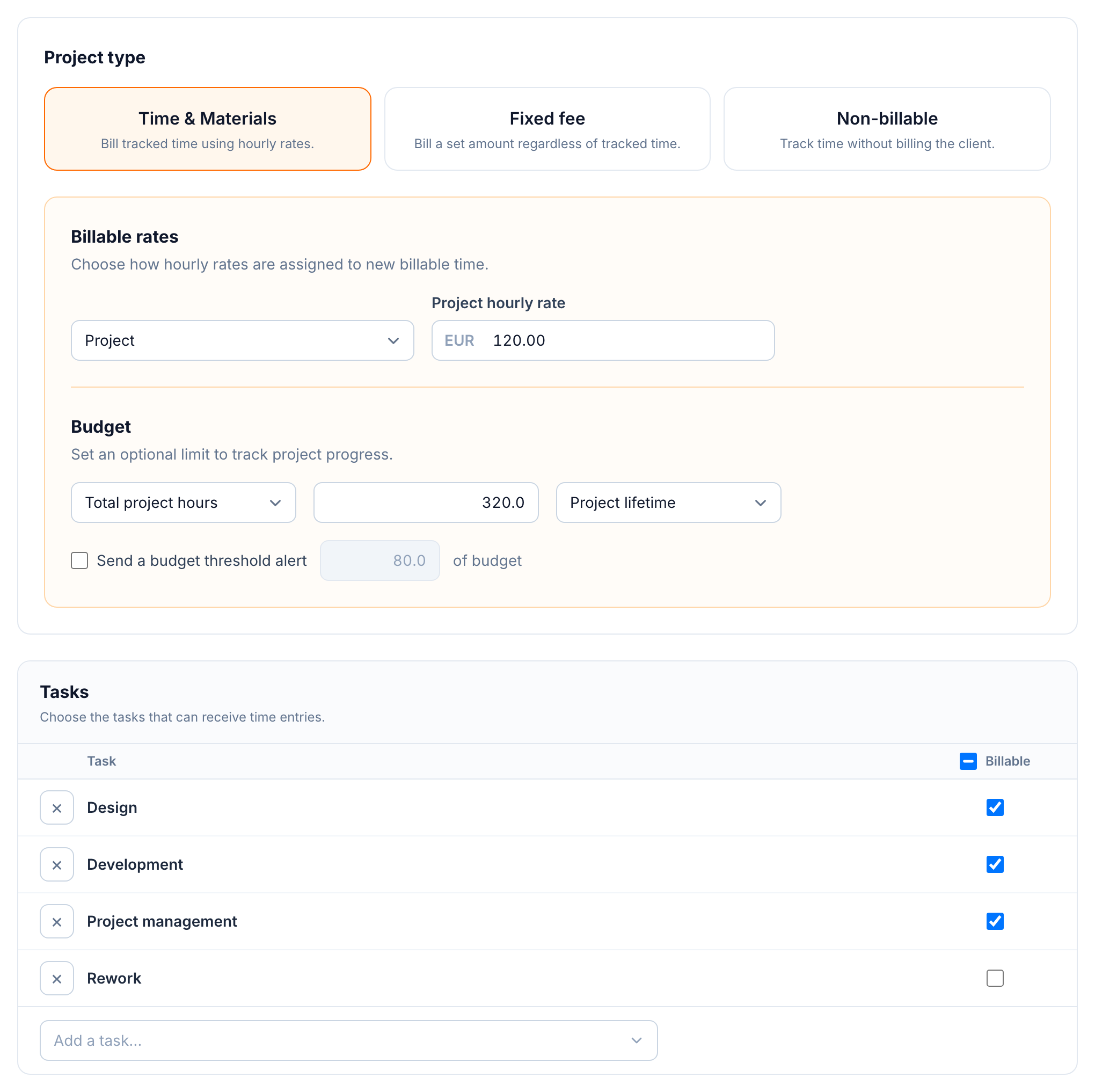
In buezli.app the decision is made once per project, so nobody has to think about it while entering time:
- Time & materials bills tracked hours at an hourly rate. The rate can come from the project, the task or the person.
- Fixed fee bills an agreed amount. Hours are still tracked so you can see whether the price held up.
- Non-billable is for internal work. Time counts in reports but never reaches an invoice.
Inside a billable project, each task has its own billable checkbox. In the project above, "Rework" is unchecked. Someone fixing their own mistake still records the hour, it just never shows up on the client's bill.
Track both kinds in the same timesheet
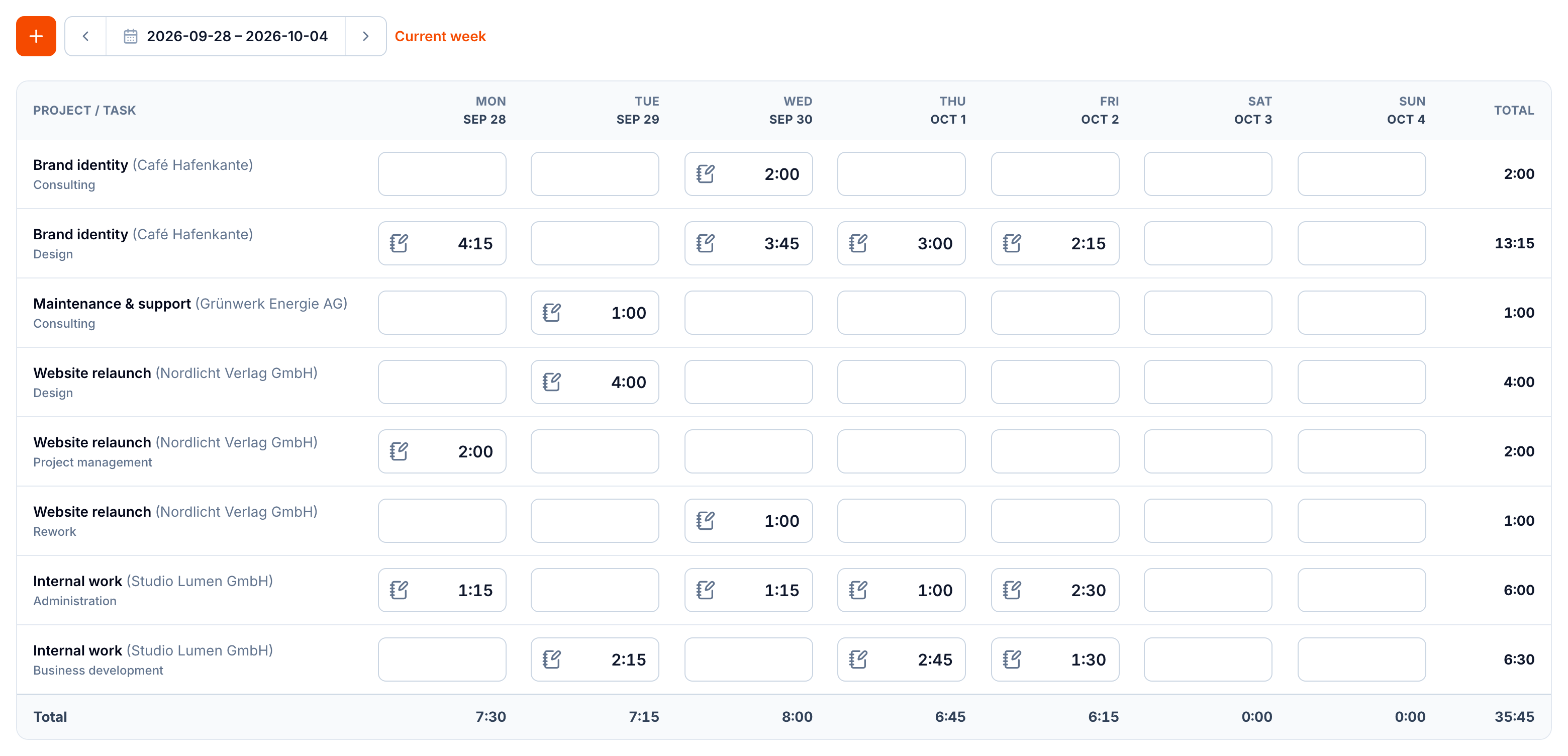
If internal time lives in a different place, or nowhere, you lose half the picture. In the week above, one person logged 35:45 hours:
- 22:15 hours on client work that can be billed,
- 6:00 hours of administration,
- 6:30 hours of business development,
- 1:00 hour of rework on a client project, tracked but not billable.
That is 13:30 hours, more than a third of the week, that no client pays for directly. That is not a problem. Someone has to write proposals and send invoices. But it has to be in the hourly rate.
Your billable share
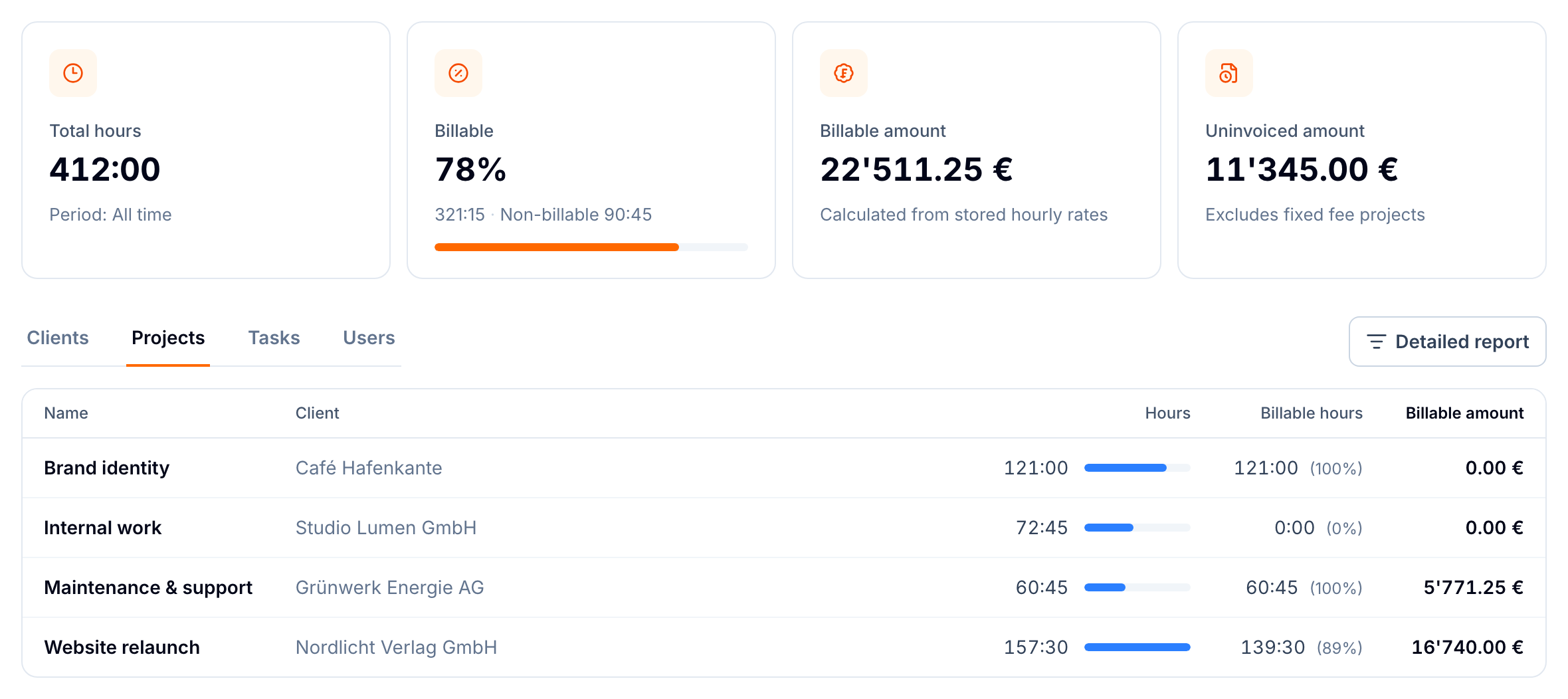
The billable share is billable hours divided by all tracked hours. In the example it is 321:15 out of 412:00 hours, or 78 %.
There is no correct number for everyone. A freelancer who also does all their own sales will land lower than a developer in a team with a project manager. What matters is that you know your number and that your hourly rate covers it. If you need €6,000 a month and bill 78 % of 140 hours, your rate has to be about €55, not €43.
The report also shows something that often surprises people: the fixed-fee project "Brand identity" has 121 billable hours but no billable amount. Those hours were paid through the fixed fee. Divide the fee by the hours and you know what that project really earned per hour.
From hours to invoice lines
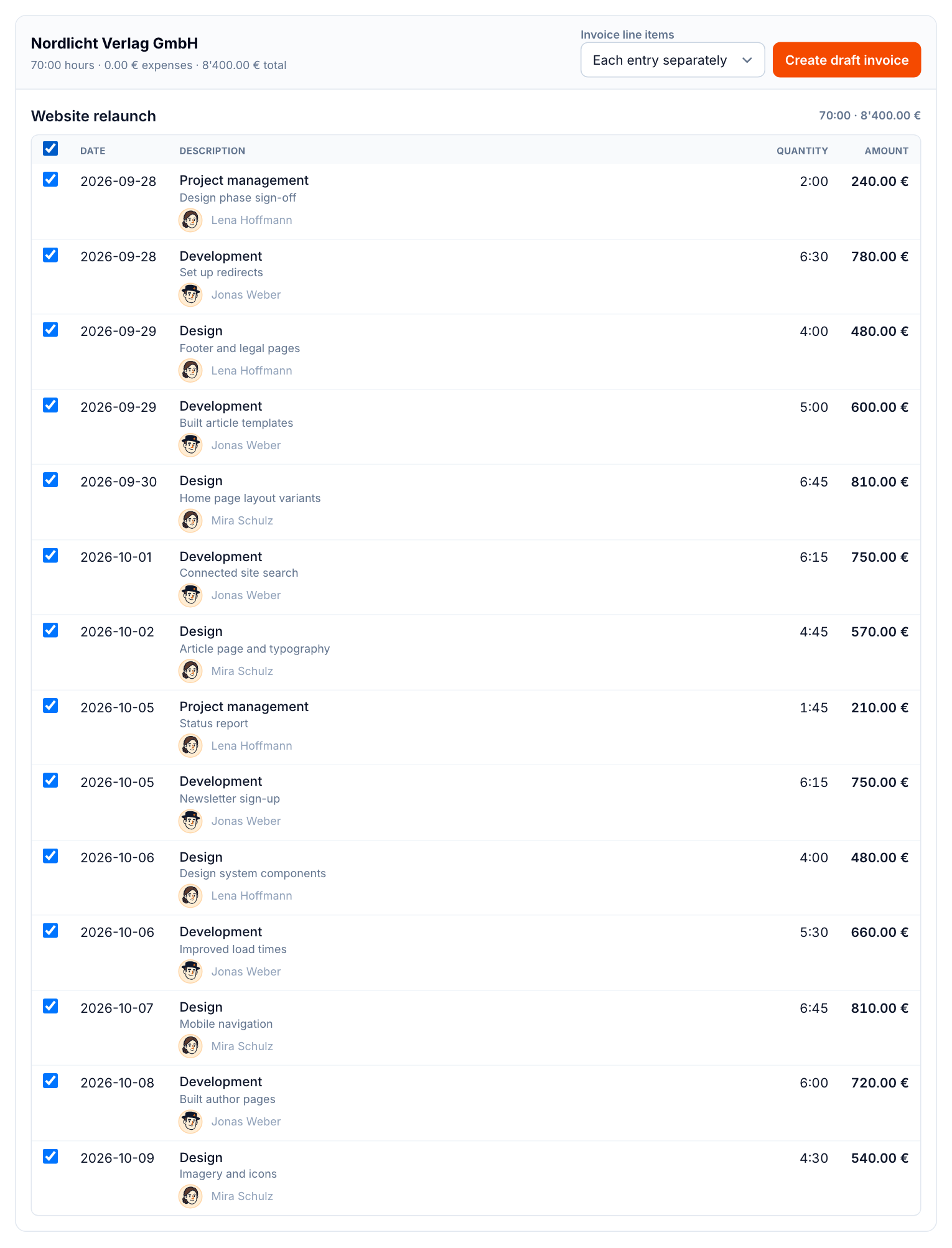
At the end of the month or the milestone, the uninvoiced work report lists every billable entry that is not on an invoice yet, per client and project. Non-billable entries and fixed-fee projects never show up here, so there is nothing to filter out by hand.
You choose how the entries become lines: one line per entry, or grouped by task or by project. Then buezli.app creates a draft invoice and marks the entries as invoiced, so they cannot be billed twice.
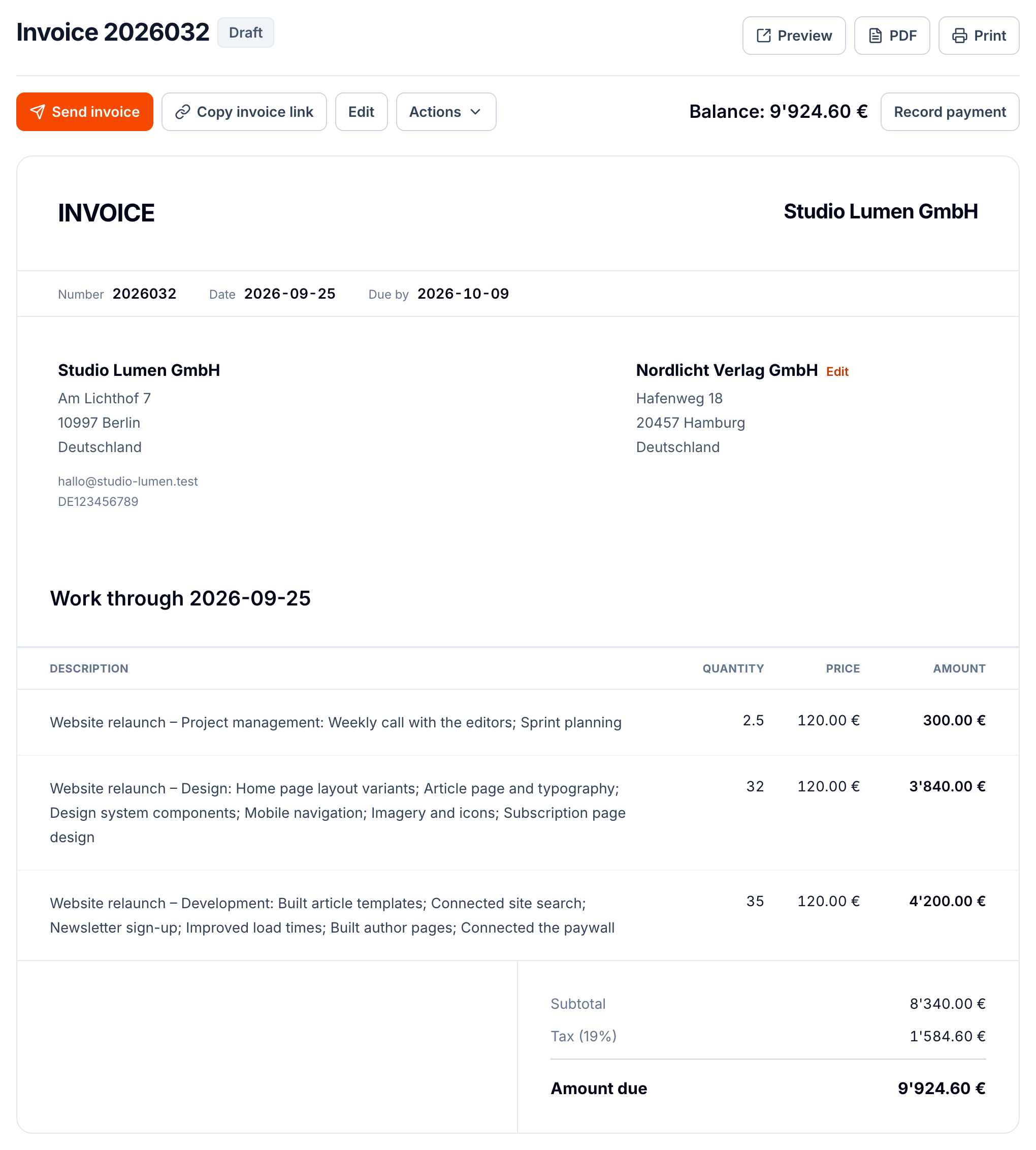
Grouped by task, this draft has three lines: 2.5 hours of project management, 32 hours of design and 35 hours of development. The descriptions from the time entries are collected into each line, so the client can see what the hours were for.
Watch the decimal point
Timesheets use hours and minutes, invoices use decimal hours. 1:45 is 1.75 hours, not 1.45. 2:30 is 2.5. If you copy hours into a spreadsheet by hand, this is the most common way to undercharge. buezli.app converts automatically, but check it if you ever move numbers between tools.