
Swiss QR-bills: how we build them in buezli.app, and what we check
What goes into the QR payment part of our own invoices, which account and reference belong together, what changes for EUR in November 2026, and the checklist we use before an invoice goes out.
Updated October 9, 2026 8 minute read
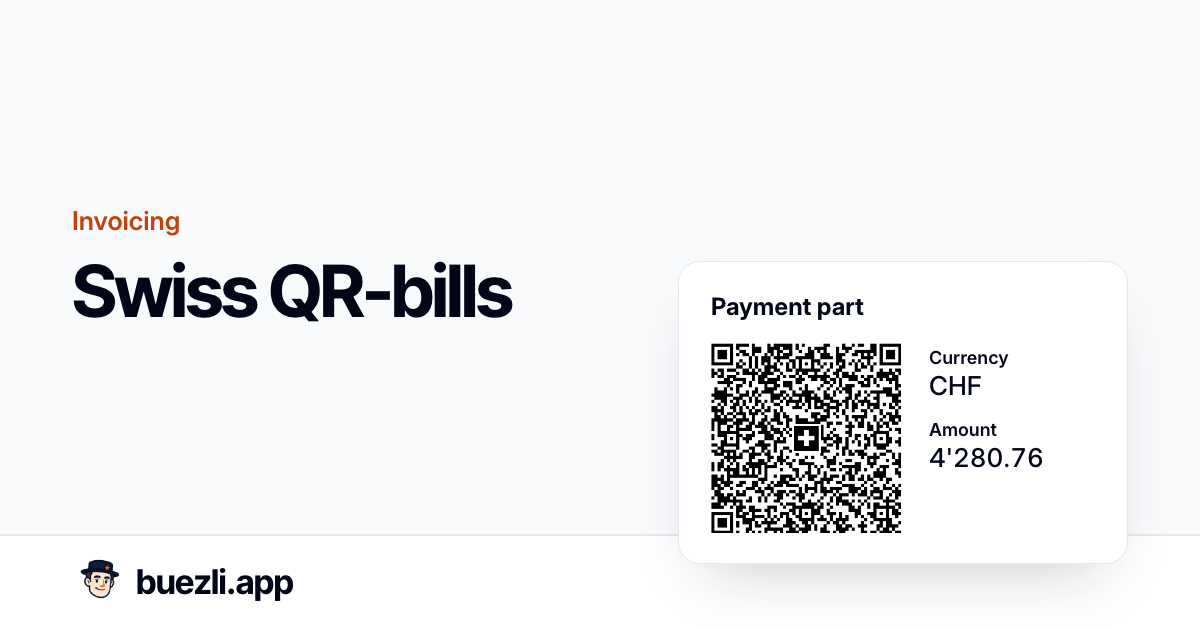
We send our own invoices from buezli.app, each with a QR payment part at the bottom that clients scan with their banking app.
This article shows how buezli.app builds that payment part, which rules sit behind each field, and the checklist we use before an invoice leaves. The screenshots show buezli.app with example data, not a real client.
Status on 9 October 2026: New QR-bills follow the SIX Implementation Guidelines 2.3. Structured addresses have been mandatory since 22 November 2025. Version 2.4 applies from 14 November 2026: nothing changes for CHF, but EUR QR-bills may then only use a normal IBAN with a creditor reference or without a reference.
What the payment part looks like
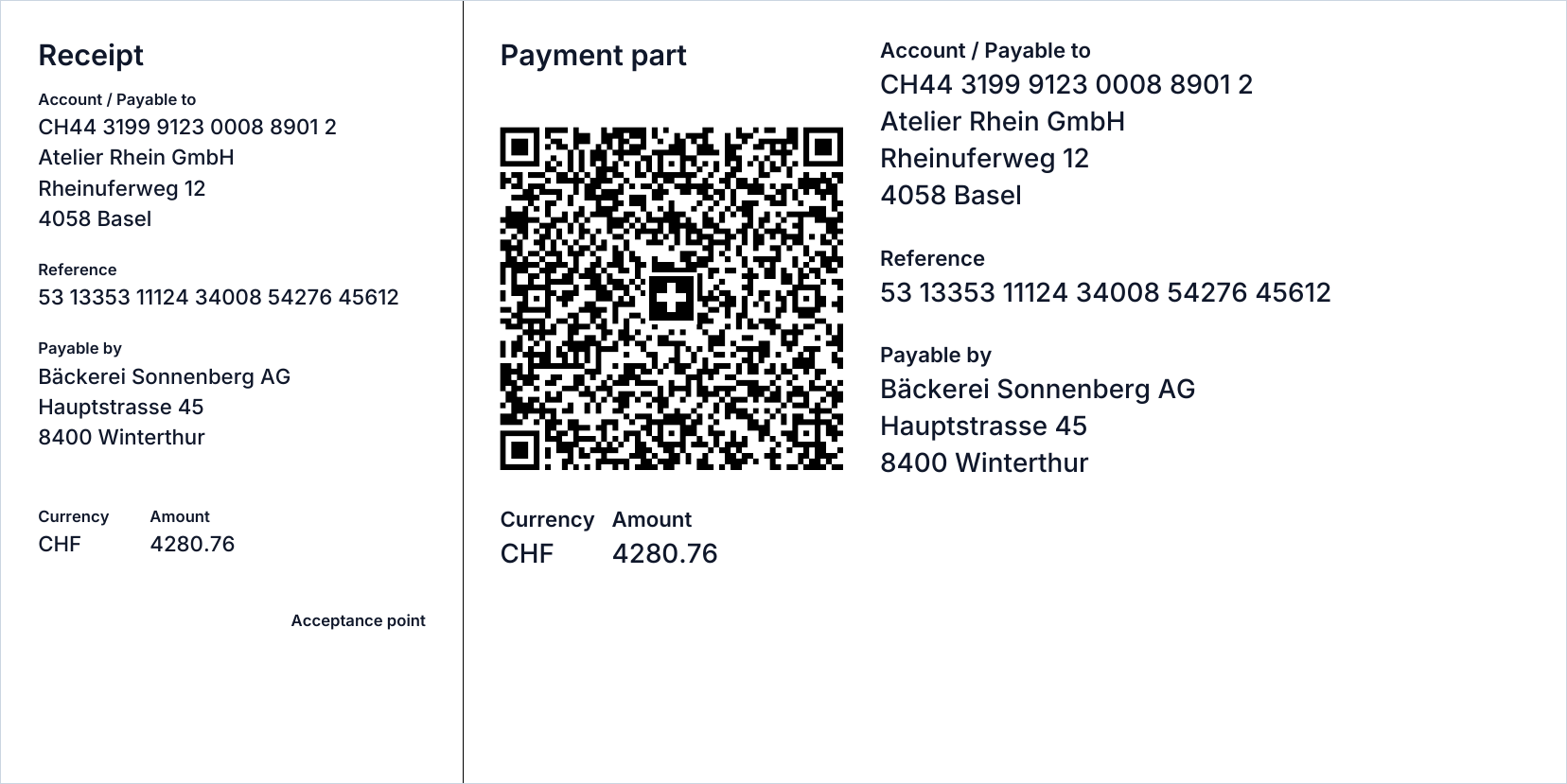
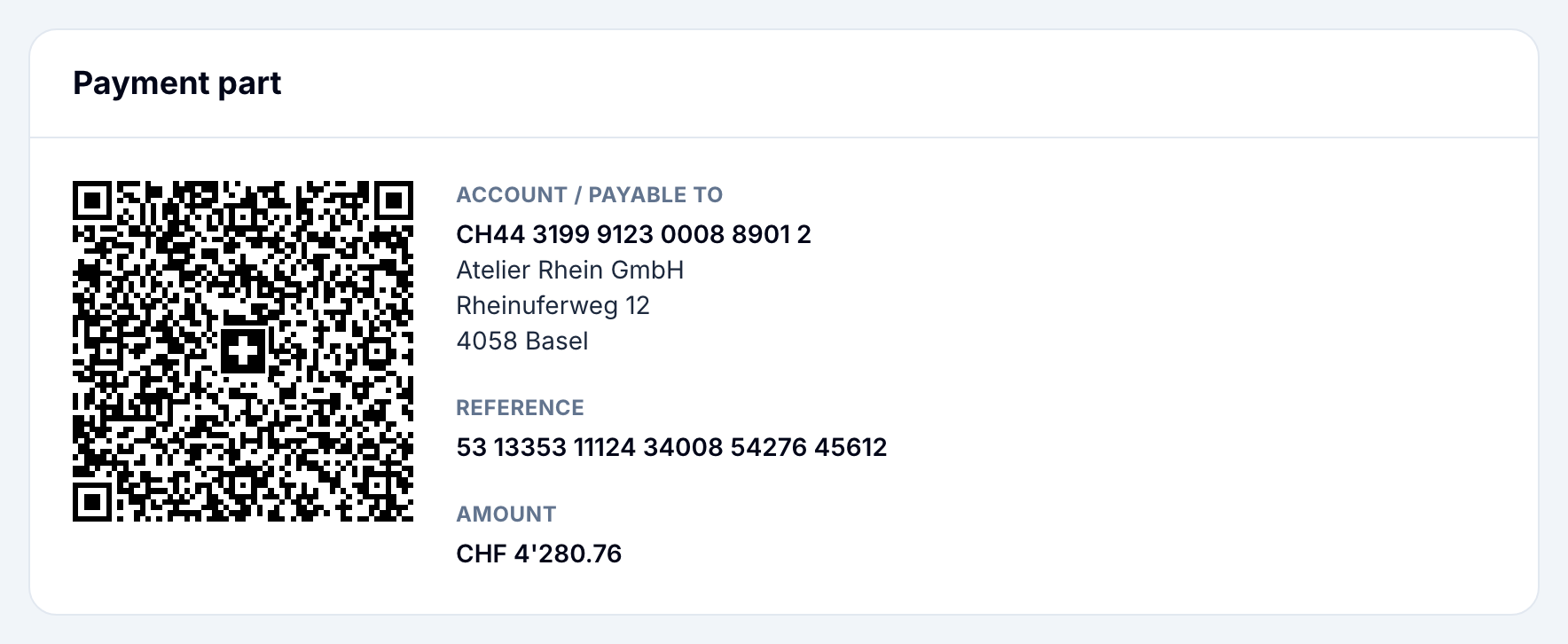
The slip is 210 × 105 mm and has two parts. The narrow receipt on the left (62 mm) is for people who still pay at the counter. The payment part on the right (148 mm) carries the Swiss QR Code, which is always printed at 46 × 46 mm with the Swiss cross in the middle.
Everything in the code also appears as text: account, creditor, reference, amount and, if known, who pays. That way a client can check what their banking app read, or type it in by hand. Above the slip, the PDF prints a separation line and the note "Separate before paying in", which SIX asks for whenever a slip might be printed.
Where the data comes from
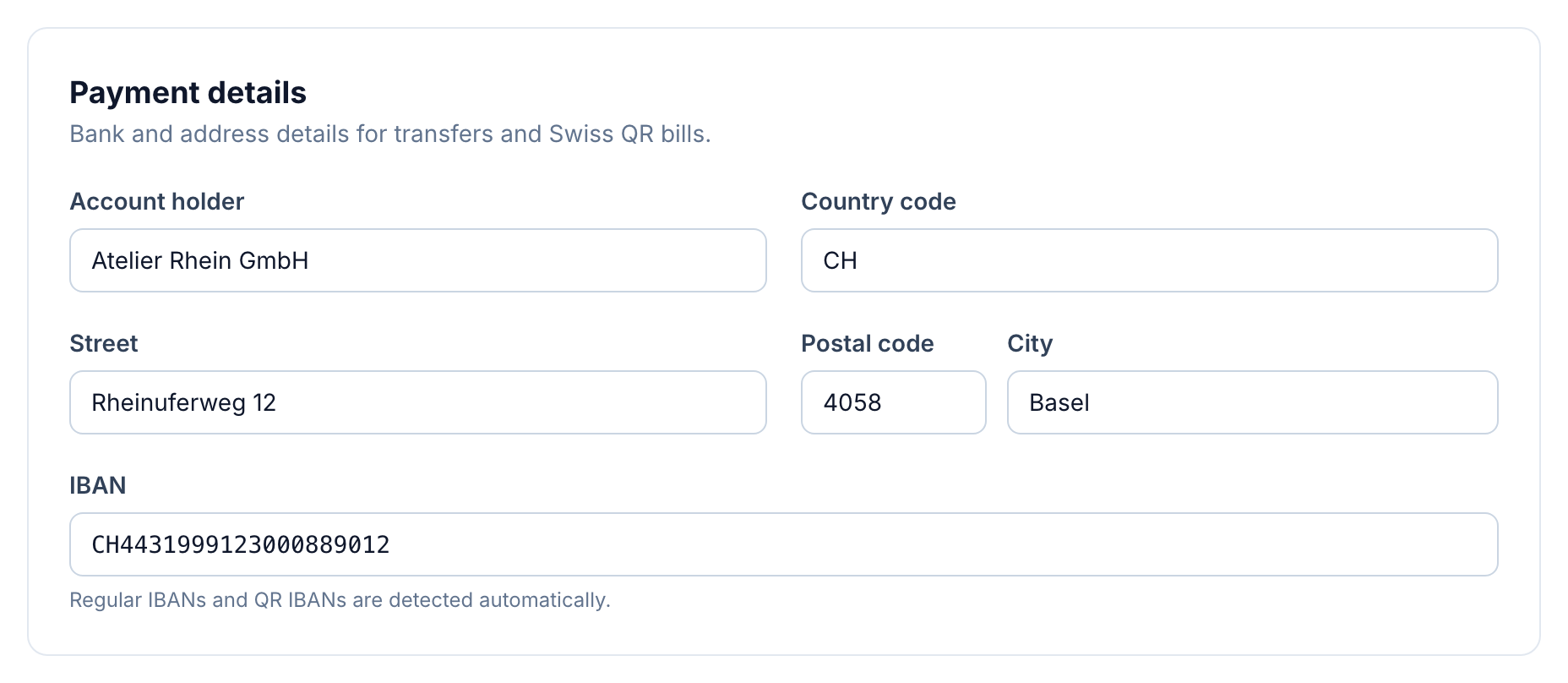
The creditor side of the slip comes from the workspace settings: IBAN, account holder and the billing address, stored as separate fields for street, postal code, town and country. buezli.app only adds a payment part when all of that is filled in, the account is Swiss and the invoice is in CHF.
When an invoice is sent, buezli.app copies these details onto the invoice. If you switch banks later, invoices you already sent keep the account they were sent with.
The amount on the slip is the amount still open, not the original total. If a client pays half, the next PDF shows the other half. Once the invoice is paid in full, the slip disappears.
QR-IBAN or normal IBAN: the reference follows the account
| Account | Reference | What buezli.app does |
|---|---|---|
| QR-IBAN | QR reference (QRR), 27 digits | Creates a unique number per invoice with a modulo-10 check digit |
| Normal IBAN | Creditor reference (SCOR), starts with RF
|
Builds it from the invoice number, including the check digits |
| Normal IBAN | No reference (NON) | Not used on our invoices; the free generator supports it |
The pairing is fixed by the standard. A QR reference only works with a QR-IBAN, and a creditor reference only with a normal IBAN. Mixing them gets the slip rejected by banking apps.
You can tell a QR-IBAN by its bank part: positions 5 to 9 are a number between 30000 and 31999. buezli.app checks exactly that and picks the matching reference type, so you never choose it by hand. Your bank issues the QR-IBAN and decides how incoming QR-reference payments are reported to you, so ask them before switching.
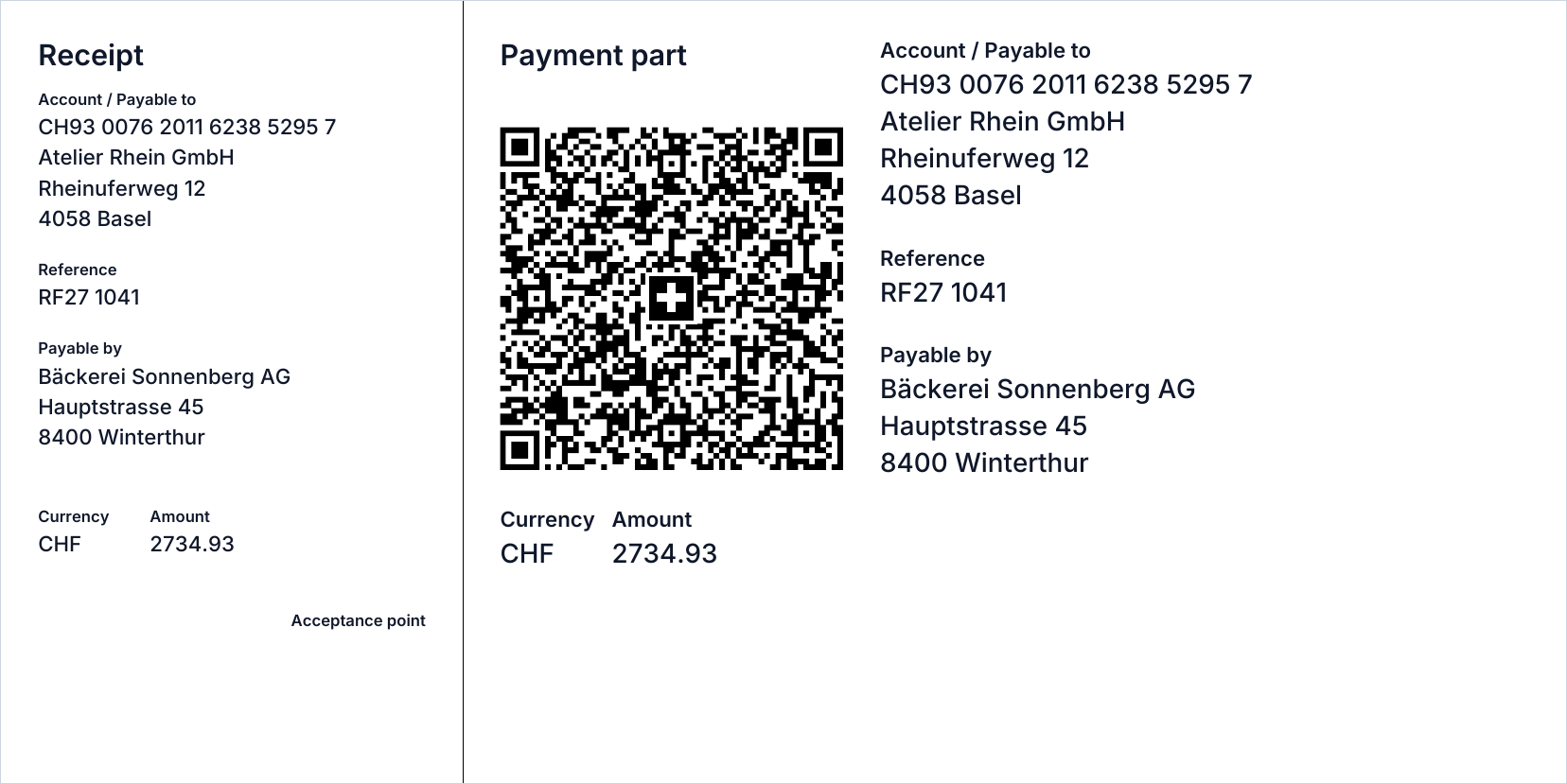
This business switched to a QR-IBAN later. The invoice above still shows the normal IBAN and its RF reference, because sent invoices keep the bank details they were sent with.
Structured addresses
Since 22 November 2025, new QR codes may only contain structured addresses: name, street, building number, postal code, town and two-letter country code in separate fields. Combined address lines are no longer accepted.
For the creditor this is never a problem in buezli.app, because the settings only accept structured fields. For the client it can be. The "payable by" party is optional in the QR code, so if buezli.app cannot read a client address as street, postal code and town, it leaves the client out of the code instead of guessing.
EUR invoices and the change on 14 November 2026
Version 2.4 of the guidelines only allows QR-IBAN with a QR reference in CHF. From 14 November 2026, a EUR QR-bill uses a normal IBAN with a creditor reference or without a reference. SIX says CHF invoicing does not need any change, and banks will keep accepting version 2.3 until November 2027.
Our invoices only get a QR payment part in CHF. EUR invoices from buezli.app carry the bank details as text. Our free QR-bill generator does support EUR, and it already refuses a QR-IBAN together with EUR.
The QR code does not replace the invoice
A correct payment part says nothing about whether the invoice itself is complete. If you are VAT-registered, Article 26 of the Swiss VAT Act asks for, among other things:
- your name, location and VAT number, for example
CHE-123.456.789 MWST; - the client's name and location;
- the date or period of the service;
- what you delivered;
- the amount, the VAT rate and the VAT amount.
If you are not registered, do not show VAT at all. Showing VAT without being registered can make you owe that amount. The current rates are on the Federal Tax Administration's page: 8.1% standard, 2.6% reduced and 3.8% for accommodation.
How to test a payment part
Looking at a QR code tells you nothing about its check digits. Whether you build slips yourself or use software, three checks catch most problems:
- Cut the QR code out of a test PDF as an image and upload it to the validation portal linked by SIX. It checks the code against the guidelines. Use made-up data only; the portal's terms forbid real customer data.
- Scan the same PDF with the banking apps your clients actually use.
- Print it at 100 % and check that the separation lines, the 46 mm code and the receipt are where they should be.
The portal checks the code, not the invoice layout or your VAT details.
Try it without an account
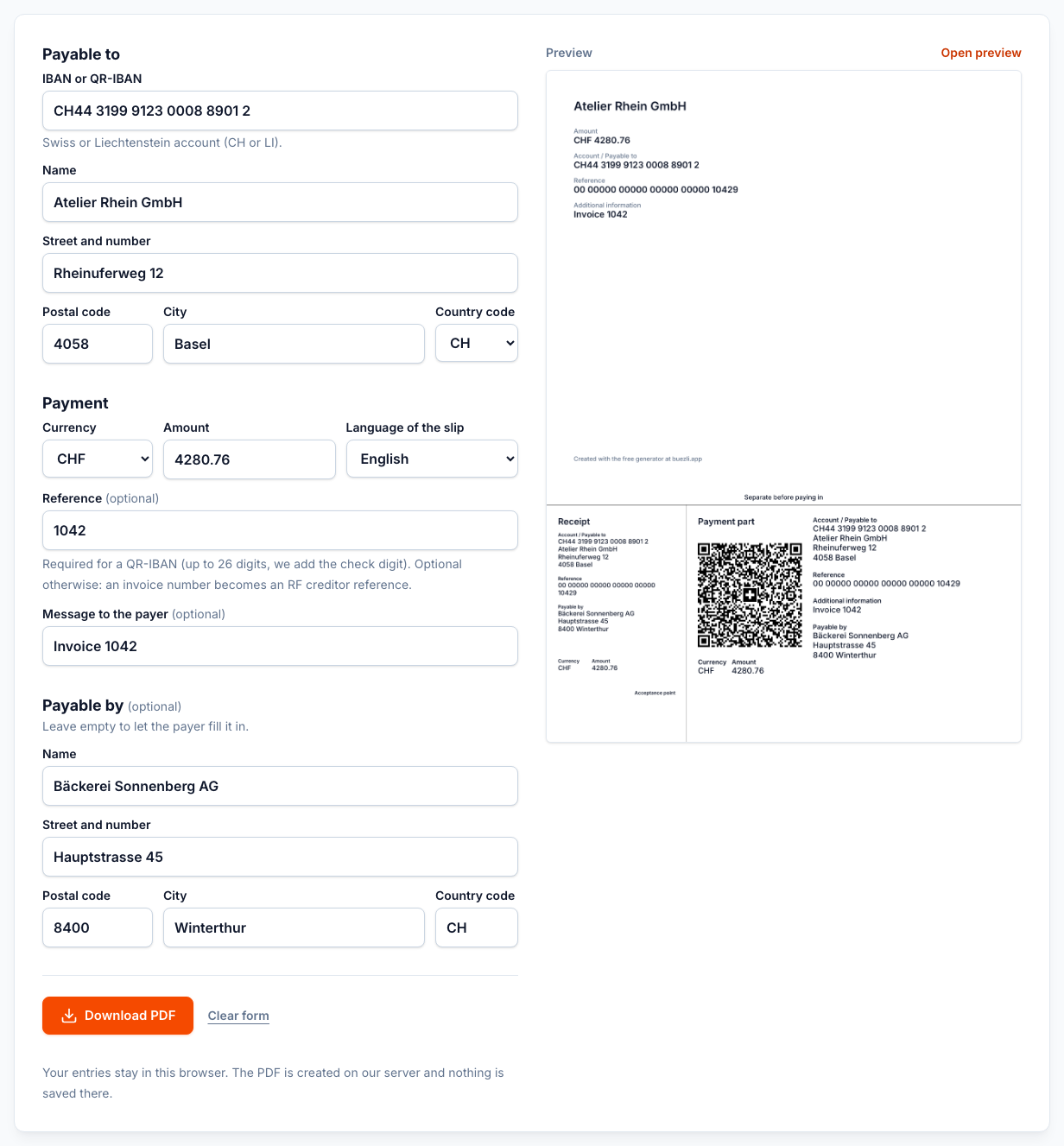
If you only need a single slip, the free QR-bill generator creates a PDF payment part in CHF or EUR without signing up. It checks the IBAN, the reference and the CHF rule for QR-IBANs before it builds the code.
Checklist before an invoice goes out
Limits of this article
This is general information, not tax or legal advice. Cross-border services, VAT exemptions, credit notes and several VAT rates on one invoice can bring extra rules. Check unclear cases with the Federal Tax Administration or a fiduciary, and confirm QR-IBAN details with your bank.
Sources
SIX QR-bill, Implementation Guidelines 2.3 and 2.4, the SIX style guide, the validation portal user guide, VAT Act Articles 26–27 and the federal invoicing guide for SMEs.